Advance Steel: Workaround for Curved/Complex Assemblies Export Issue
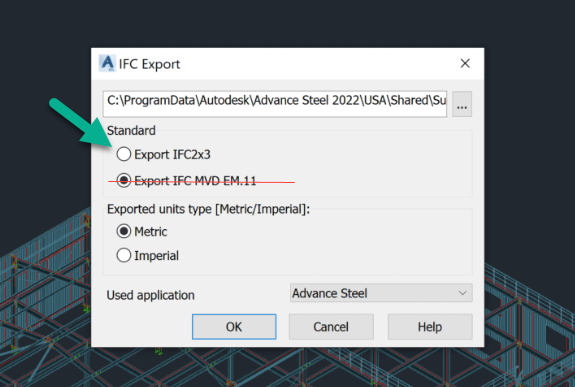
Advance Steel has a known export issue with curved parts/assemblies with complex geometry when using the IFC MVD EM.11 format. This format is normally required for Advance Steel projects because it creates assemblies from connected parts, but curved surfaces or complex geometry may not export correctly.
If you noticed that Advance Steel models are missing certain parts from the export or is the model looks distorted, use the workaround below.
Tip
If you are looking for standard Advance Steel export instructions, click here.
Workaround
Identify the affected assemblies that contain curved parts or complex geometry (which have missing\distorted parts in the standard export).
Export each affected assembly as a separate IFC 2×3 file.
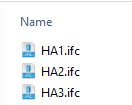
Use the rule 1 assembly = 1 IFC file.
Place all of the individual IFC files into a single ZIP archive.
Tip 1: No KSS file
When you are exporting a single assembly per 1 IFC file, no KSS is required.
Tip 2: PDFs
If you would like to see part or assembly PDFs attached:
Assembly PDF = PDF name should contain the assembly IFC file name i.e. HA1_Rev 0.pdf
Upload the ZIP archive to that project in FabStation.
Important note
There is no need to export all assemblies from the project individually. Your standard project export should still be uploaded as usual:
Export the full project IFC using IFC MVD EM.11 when possible.
Include the required case file, PDFs, and KSS file as part of the normal package.
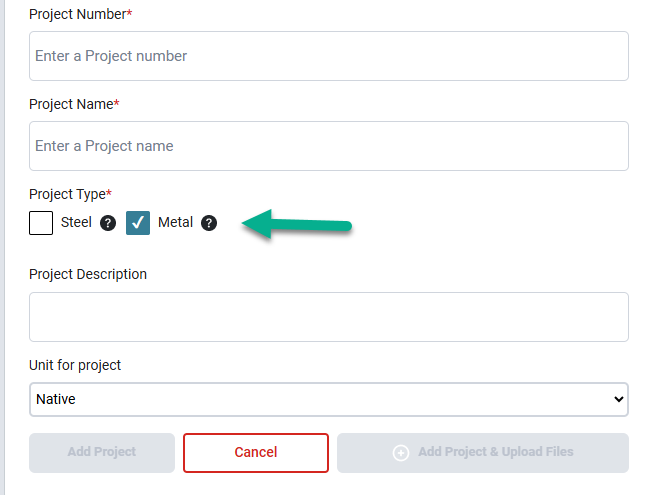
Upload that standard package to a Steel project in FabStation.
The IFC 2×3 workaround is only for the affected assemblies that need to be exported individually because curved parts are not handled correctly by the standard Advance Steel export.