
How Final Stage Works
Final and Shipping Stage
Once the assembly has passed Material Processing, Assembly, Welding and Surface Treatment, it will move into the Final and Shipping stages of production.
These stages are where the last checks happen before assemblies leave the shop.
Final Stage
The Final stage is where a completed assembly receives its last quality confirmation before it becomes eligible for shipment.
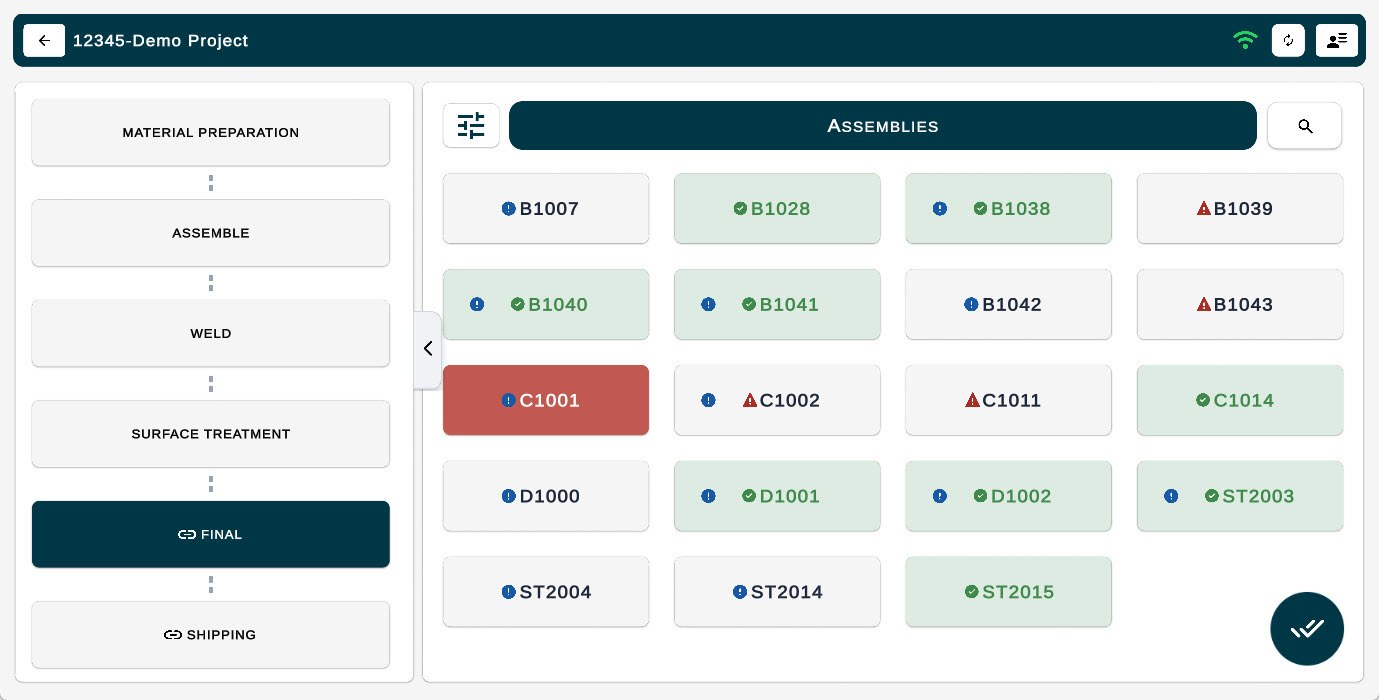
In the Final stage, all assemblies will appear color-coded based on their current status:
Green with Green Check Mark– The assembly has passed all required production stages and is ready for shipment.
Green with Blue Checkmark – The assembly has passed the final stage but not some production stages were omitted.
Red Attention Triangle– The assembly has one or more unresolved NCRs or errors that must be addressed before it can move forward.
- Grey with blue check mark – Some or all stage of the production or not completed
This visual view helps quickly identify which assemblies are ready to ship and which require additional work.
Quick-Pass Feature
To update multiple assemblies at once:
Tap the double-check icon to enter multi-select mode.
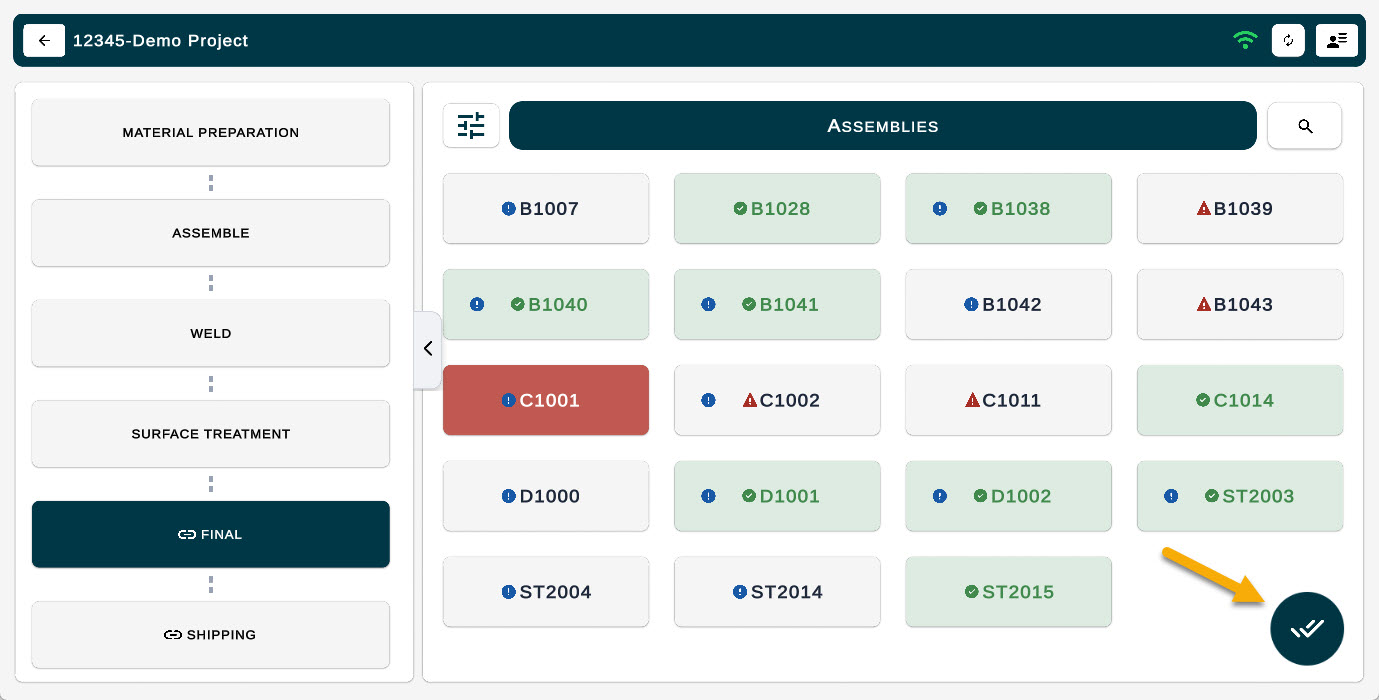
2. Select all assemblies you want to update.
3. Apply Pass, Attention, or Fail to the group.
This makes the final approval process faster and ensures the correct status is clearly recorded before moving to the Shipping stage.

What Happens in the Final Stage
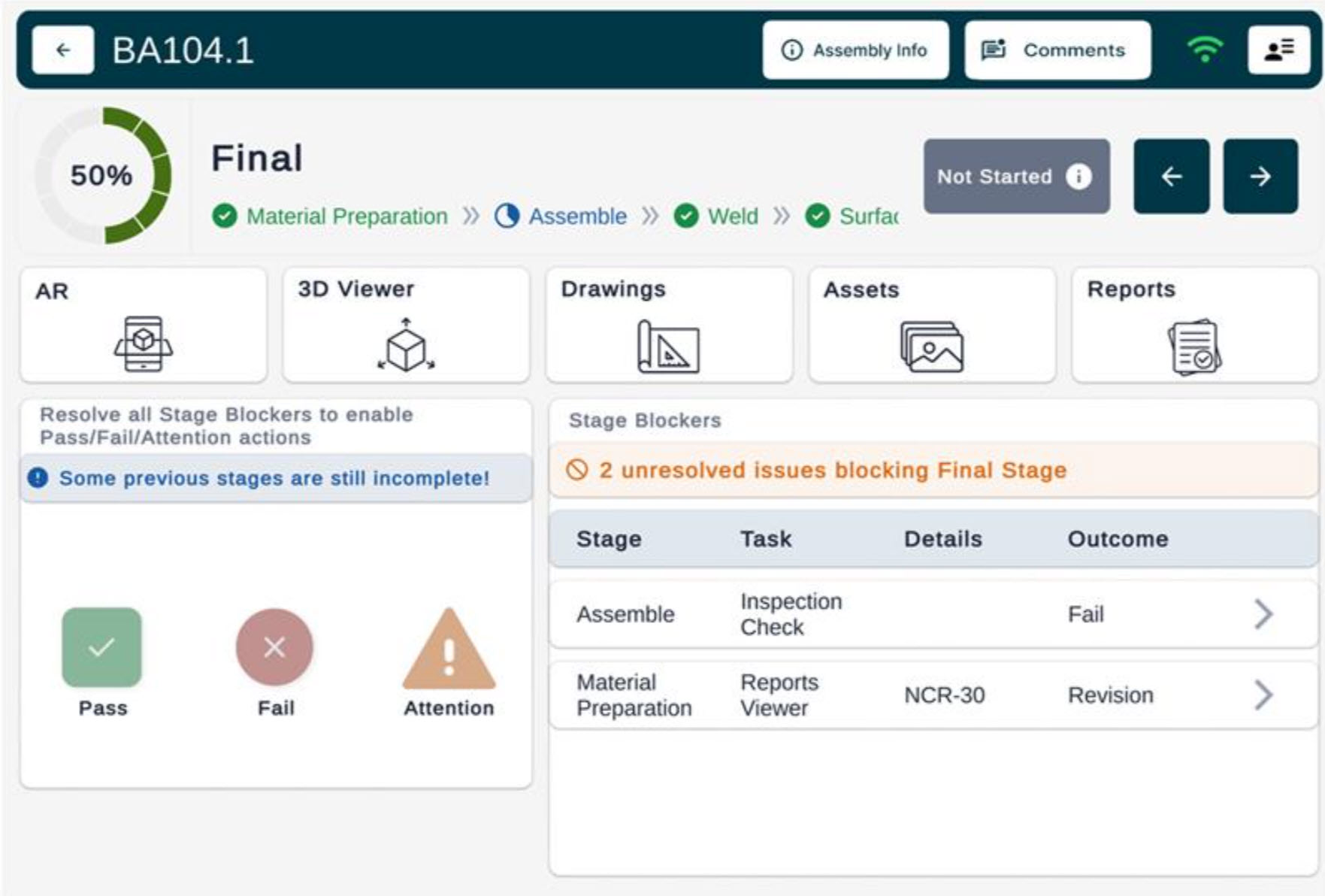
The user views the assembly and its recorded history from previous stages (including tasks, time trackers, reports, etc.).
User can view if any stages of Production have not been completed. Completed stages appear in Green.
Any flagged errors or NCRs appear in this view so they can be reviewed and consciously checked.
Once verified, the assembly can be marked Final Complete by clicking PASS.
Only assemblies that are Final-approved will appear as Complete (Green) in the Shipping stage.
When to Use The Final Stage
Use this stage after the following stages have been completed:
Material Preparation
Assembly Fit-Up (and Inspection)
Welding
Surface Treatment / Coating
Purpose of the Final stage
Ensure the assembly is accurately completed and all previous tasks are done.
Confirm that all previously identified deficiencies (such as NCRs, nonconformities, or items marked “Attention”) have been addressed.
Prevent assemblies that still have unresolved issues from being shipped.
Improve communication and hand-off between fabrication, quality control (QC), and shipping teams.
Shipping Stage
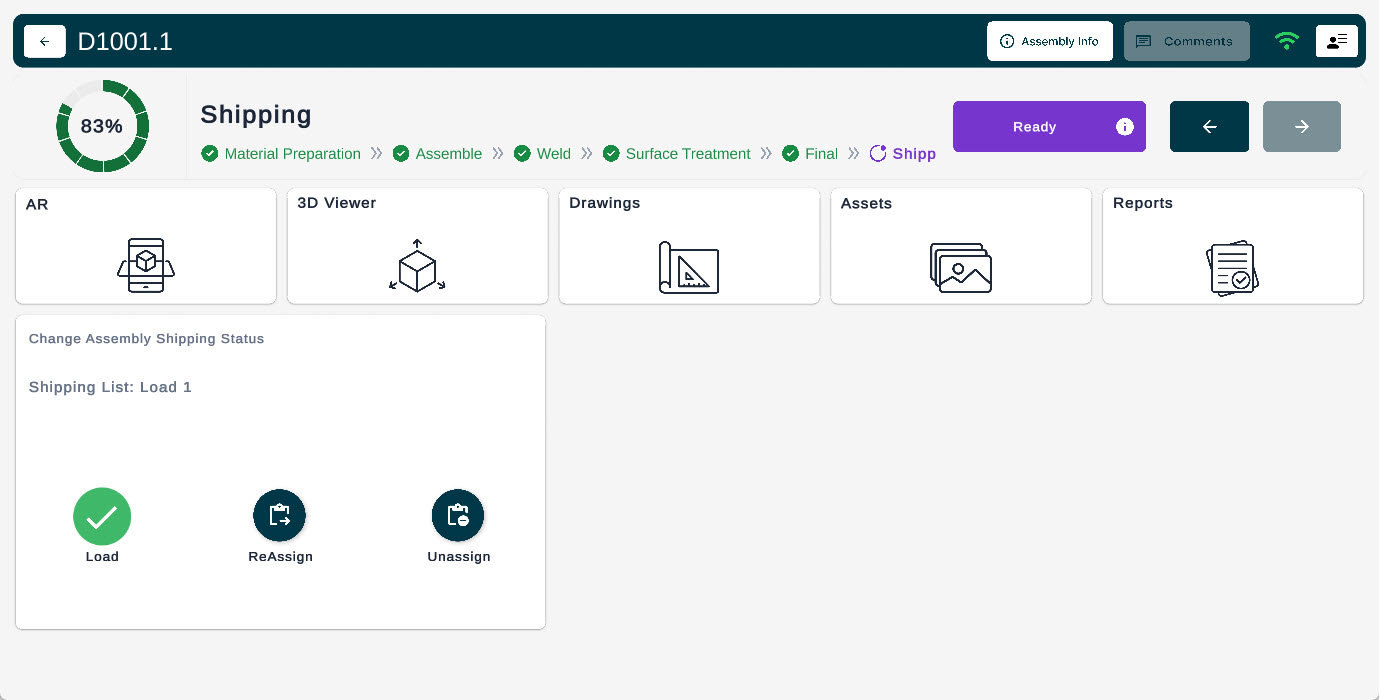
Once an assembly has passed the Final stage, it becomes eligible for shipping. This stage allows teams to confirm that the correct assemblies are being pulled, moved, or loaded, preventing situations where someone mistakenly takes an unverified assembly.
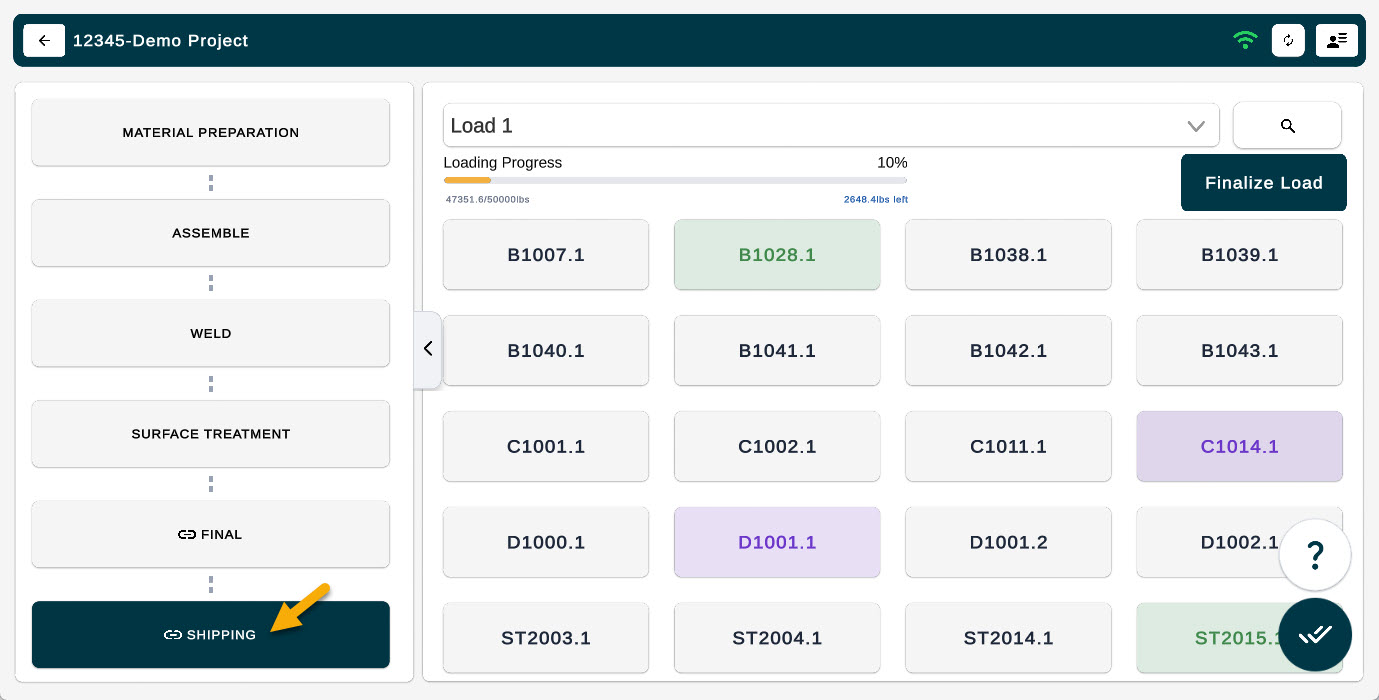
In the Shipping stage, all assemblies will appear color-coded based on their current status.
This visual view helps quickly identify which assemblies are ready to ship and which require additional work.
What Happens in the Shipping Stage
A user checks whether the assembly has passed the Final stage. If it has not been Final-approved, shipping is blocked.
If it has passed Final, the user records that it has been shipped. This may include tagging the shipment, scanning, or otherwise tracking the move out of the shop
The combination of Final → Shipping ensures full traceability and accountability across the workflow.
Purpose of the Final stage
- Ensure that only Final-approved assemblies leave the shop.
- Create documentation of what was shipped and when (for traceability).
- Prevent errors from being discovered on-site during installation (because only properly approved assemblies are shipped).